Menu bar only
A native top-bar dropdown with the exact look and feel of macOS. No Dock icon, no window, no distraction.
Fetchster is a native macOS download manager that lives in the top bar. Files, torrents, magnets, and downloads — everything lands in one clean list, with the look and feel of macOS itself. No Dock icon. No clutter.
One menu-bar item. Every download you care about.
A native top-bar dropdown with the exact look and feel of macOS. No Dock icon, no window, no distraction.
HTTP, HTTPS, FTP, torrents, magnets — anything with a link. Pause and resume with byte-range accuracy.
The companion extension routes browser downloads to Fetchster with one click — no dialogs, no double downloads.
Full torrent engine with DHT, peer exchange, seeding, live swarm stats, and tracker management built in.
Interrupted downloads pick up right where they left off with byte-range resume and full pause support.
Engines are fetched on demand from official sources — ffmpeg and aria2 update themselves, and the app stays lean.
Straight from the menu bar.
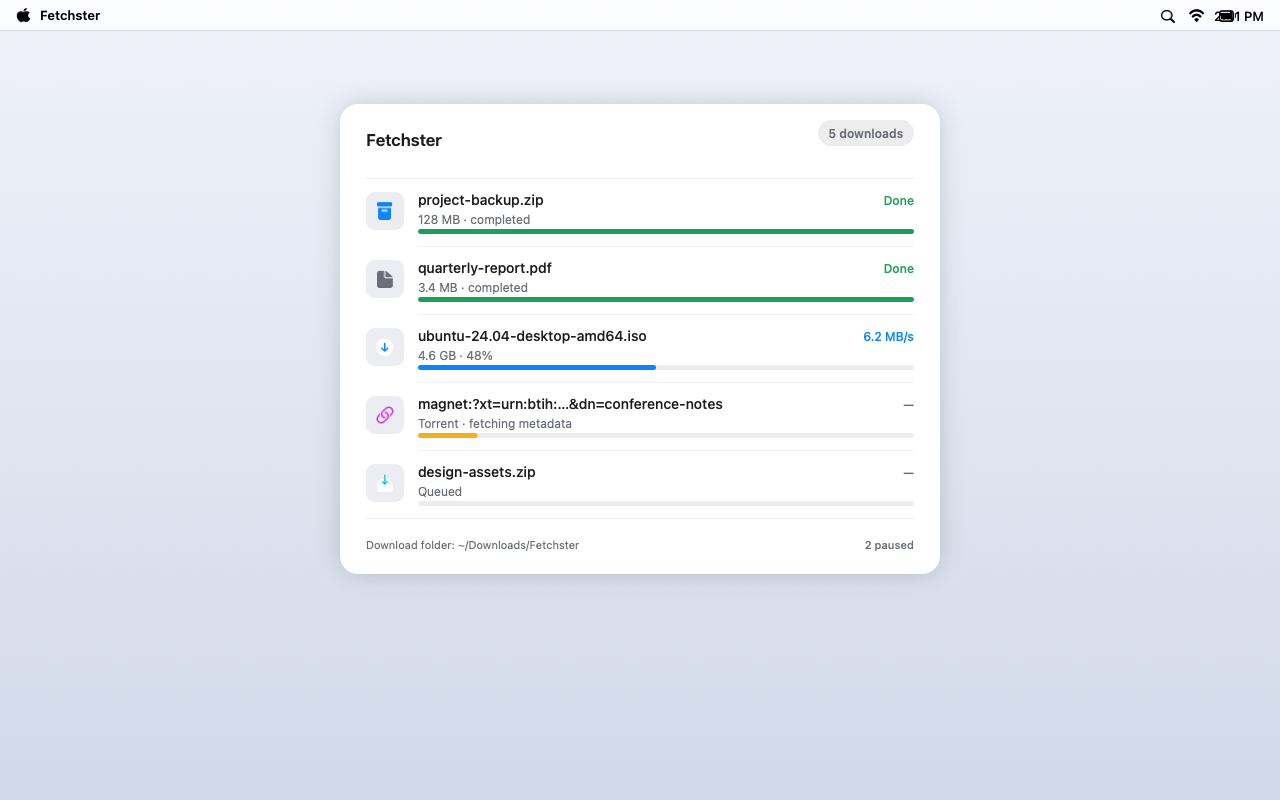
Files, magnets, and torrents — progress, speed, and status all in a native top-bar dropdown.
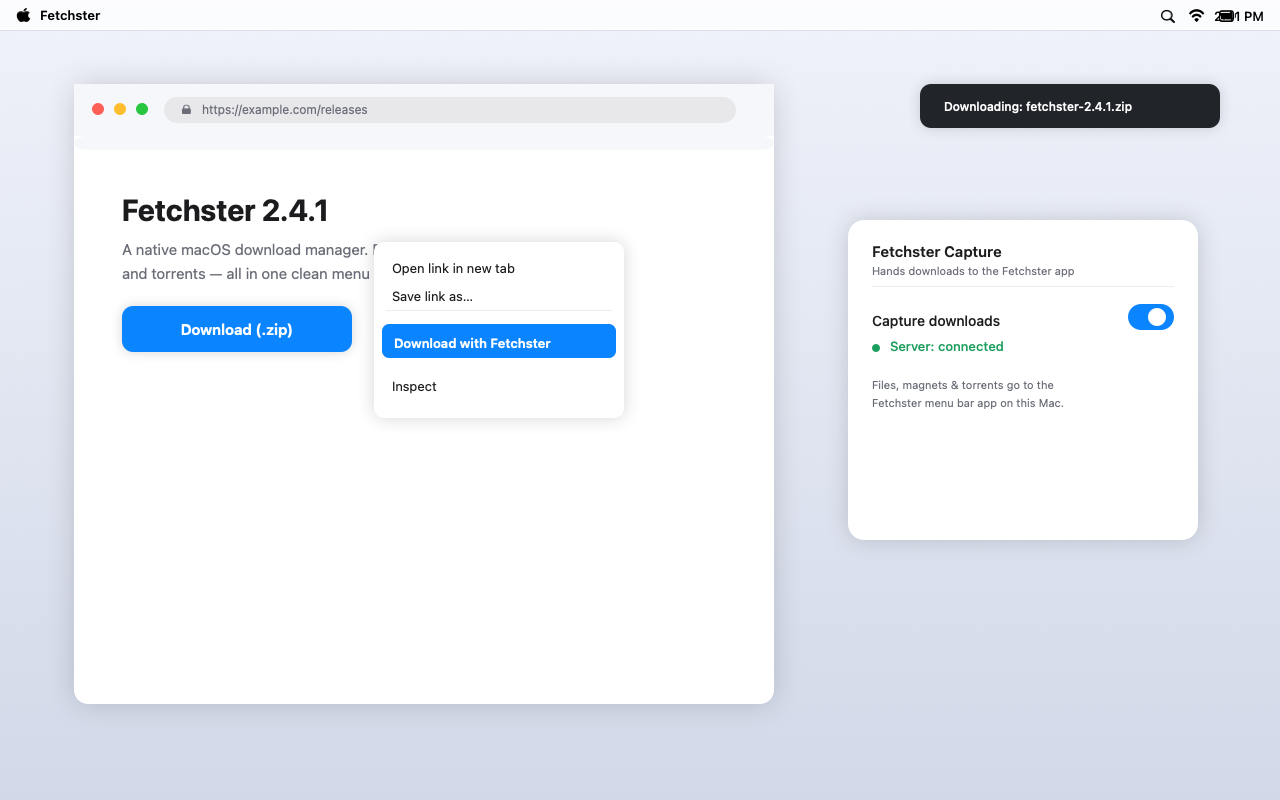
Download links route to Fetchster with one click — or right-click any link and choose Download with Fetchster.
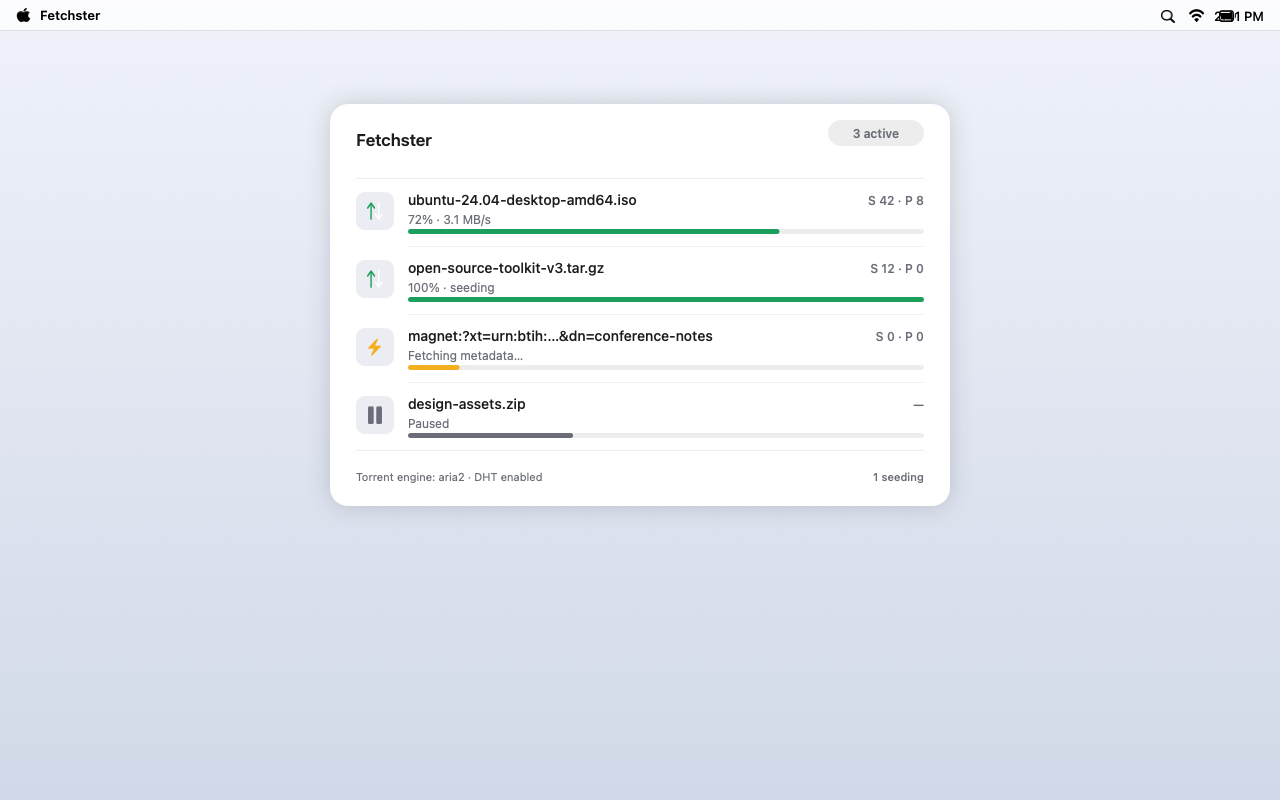
Full torrent support with live swarm stats — add magnet links from any page.
The app icon appears in your menu bar. No Dock icon, no setup wizard.
One click in Brave or Chrome, and browser downloads route to Fetchster with your real session.
Files, magnets, and torrents — all in one clean list. Enable the torrent engine in Settings.
The torrent engine downloads from its official source only when you enable Torrent downloads. The app itself stays small.
Get Fetchster